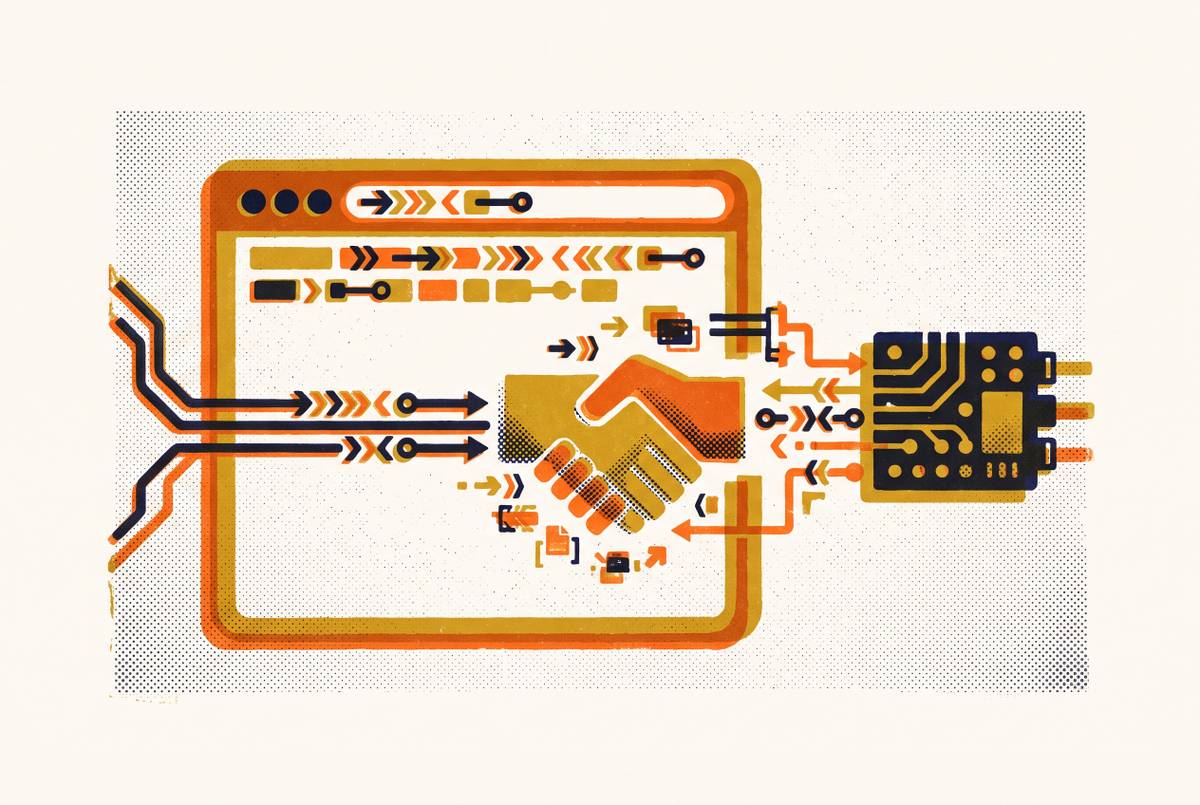
Embedding Chromium in Desktop Applications
CEF powers 100 million desktop applications by embedding Chromium without building a full browser.

Marshall Greenblatt started the Chromium Embedded Framework in 2008. BSD-licensed, built on top of the Google Chromium project, aimed specifically at third-party embedded use cases. Not Chrome application development. CEF exists to help developers integrate a browser engine into something else, not to build a standalone browser. Think of it as a window frame delivered without the house.
The project's own count puts installed instances at over 100 million worldwide. This is not experimental infrastructure. It is load-bearing software running inside tools professionals use every day.
CEF 3, the current architecture, follows the multi-process model the Chromium Content API prescribes. A main application process communicates with one or more render processes through asynchronous messaging. Each render process hosts its own instance of Blink and V8. This is structurally identical to how Chrome itself runs, which is why CEF's performance is comparable to Chrome by design rather than by coincidence.
API stability is a first-class engineering goal, and it shows in how CEF handles Chromium's internal churn, which is considerable and relentless. Stable release branches track specific Chromium versions. Binary distributions mean most teams can integrate without building from source at all. Since March 2019, CEF's version numbering mirrors Chromium's major versions directly: CEF 128 corresponds to Chromium branch 6613. That alignment makes it straightforward to know exactly which browser engine you are shipping, and to communicate that to anyone downstream who cares.
Platform support covers Linux, macOS, and Windows. Language bindings exist for C, C++, Go, Java, and Python. For teams that do need to build from source, the official path runs through Python 3.8 or later, platform-appropriate compilers, and Chromium's depot_tools, with the automate-git.py script as the recommended entry point.
What CEF actually lets a host application control
CEF offers two rendering modes, and the choice between them shapes the entire integration.
Windowed rendering is the simpler path. The OS manages a visible browser window, and the host application provides a container. Off-screen rendering is fundamentally different: web content is rendered in memory and handed to the host as a pixel buffer, never displayed in an OS-managed window. This is what makes it possible to embed web content inside a game engine, a DirectX or Vulkan rendering pipeline, or a custom UI toolkit that has no concept of a browser window at all. It is one of those capabilities that sounds niche until you realize how many production applications quietly depend on it.
Beyond rendering mode, the customization surface is genuinely broad. Host applications can intercept or serve content through custom protocols, bypassing the network entirely. They can inject custom JavaScript objects and extensions, exposing native application functionality to web-side code. Navigation, context menus, and printing are all controllable. V8 integration lets the host execute JavaScript directly or surface native objects into the V8 context, which is the bridge that makes hybrid UI coherent in practice rather than just theoretically possible.
The default implementations for most features are reasonable. Customization is opt-in. A team that only needs windowed rendering and basic navigation control can be productive quickly. A team that needs deep OS-to-JavaScript bridges or off-screen rendering into a proprietary pipeline has the surface to build it.
That granularity is what separates CEF from a full Electron wrapper or a system WebView. When the host application has its own rendering model or its own security architecture, CEF's level of control is the reason to choose it at all.
Where CEF is actually running today
The deployment list is instructive. Spotify, Slack, and Steam all use CEF for web-powered interfaces inside otherwise native hosts. Adobe Dreamweaver uses it to control resource loading, navigation, and context menus. Autodesk Inventor has incorporated CEF since its 2015 version. Riot Games rebuilt the League of Legends client on CEF in 2016. OBS Studio uses it. NVIDIA's App, updated in 2024, runs on it.
The wrapper ecosystem tells a parallel story. CefSharp, the.NET wrapper, has accumulated over 4,700 GitHub stars as of mid-2025. CEF4Delphi serves Pascal and Delphi developers. cefpython has cleared 3,000 stars on GitHub. JCEF covers Java. These are not hobby projects; they represent real teams shipping production software across the language ecosystem.
The pattern across these deployments is consistent. CEF handles a specific UI surface or feature area inside a larger native application. Spotify's desktop client is not a browser. Steam is a native application, not a browser. They are native applications with web-powered panels embedded inside them. That hybrid posture — using CEF for what it does well while keeping the rest of the application in native code — is the dominant pattern in production and the thing CEF was specifically designed to enable.
Electron and WebView2: two different answers to the same problem
Electron does not use CEF. It bundles Chromium directly. The project originally built on CEF, but the API was too high-level to permit the kind of deep Node.js integration the team needed, specifically the ability to give the renderer process direct access to the OS through Node. That decision produced a different capability model and a different target use case entirely.
Electron is designed for building a complete desktop application from web technologies, rather than for embedding a browser control inside an existing native app. The Node.js layer is the defining characteristic. Installers typically land between 80 and 150 MB. Runtime memory at idle typically runs between 150 and 300 MB. Slack, WhatsApp, Discord, Obsidian, Microsoft Teams, Notion, and Signal have all bet on this model. Visual Studio Code, the most prominent Electron application in existence, surpassed 40 million monthly active users by 2026 figures.
WebView2 takes a structurally different approach. It embeds web content using the Microsoft Edge engine, which is Chromium-based, but the runtime is installed at the OS level and shared across every application that uses it. No per-app Chromium bundle in the installer. WebView2 ships inbox on Windows 11. Microsoft has positioned it as the preferred embedded web platform following the retirement of IE11, and Microsoft 365 applications including Outlook's Room Finder and Meeting Insights now depend on it. C++ and the.NET family are the supported languages. Windows 10 reached end of OS support in October 2025, but the Edge runtime and WebView2 will continue receiving updates through at least October 2028, so existing deployments are not facing an immediate cliff.
Comparing all three directly: CEF gives the most control and requires the most integration work. Electron abstracts everything behind a Node.js runtime and targets greenfield applications built entirely in web technologies. WebView2 offloads the Chromium maintenance burden to Microsoft but is Windows-only and binds the application to OS-level update cadences. Each is a coherent answer to a specific question; the mistake is treating them as interchangeable.
Tauri's lighter-weight challenge and what it actually trades away
Tauri 2.0 went stable in October 2024. The 2.x line now includes iOS and Android support alongside desktop platforms.
The core architectural bet: instead of bundling Chromium, use the OS's native WebView. Edge WebView2 on Windows, WebKitGTK on Linux, WebKit on macOS, paired with a Rust backend. The size and memory payoff is real. Tauri installers frequently come in under 10 MB. Memory at idle runs around 30 to 50 MB. A minimal Electron app bundles roughly 150 MB by comparison.
Adoption following the 2.0 release reflects genuine interest. Tauri repositories on GitHub grew 55% year-over-year while Electron's growth plateaued, per 2025 to 2026 GitHub data.
Here is the thing Tauri does not obscure, to its credit: because each platform ships a different WebView, rendering output varies by OS. What renders identically on Windows may behave differently on Linux. I have seen teams discover this variance late in a project cycle, and it is not a pleasant discovery — a bit like finding out your map was drawn for a different territory. For applications where visual consistency across platforms is a hard requirement, that variance is disqualifying. The Tauri community's own framing is honest: use the platform WebView when you want the smallest possible application; bundle Chromium via CEF when rendering consistency is the constraint that cannot flex.
Tauri does not displace CEF or Electron. It sharpens the decision by making the tradeoffs more legible.
Memory, performance, and the real cost of shipping a browser engine
Every Chromium-based desktop application brings its own renderer processes, JavaScript heap, native buffers, and media pipeline into the running system, independently of any other Chromium instance already running on that machine. A user with VS Code, Slack, and Discord open simultaneously is running three separate browser engines side by side. The overhead is not shared. It multiplies.
The Discord desktop client illustrates this concretely. Under normal use conditions including voice chat and streaming, it has been observed climbing from under a gigabyte of RAM to as much as 4 GB without releasing memory until a full restart. That reflects the compounding nature of Chromium's per-process memory model when the application is doing real work.
CPU spikes, fan noise, battery drain. These are real product quality signals, not abstract developer problems. They reach end users who have no interest in process architecture.
Electron's own documentation makes a counterargument worth taking seriously: profiling and incremental optimization is the most reliable path toward improving performance in production applications. The overhead is not fixed. Sloppy memory management in application code and a well-optimized Electron application are both Electron applications, and they perform very differently.
For teams using CEF for a narrow embedded use case — one UI panel or off-screen rendering into a custom pipeline — the footprint is meaningfully smaller than a full Electron application. Neither approach escapes the per-process overhead entirely. The scope of the embedding determines the scale of the cost.
Security: who is responsible for patching the bundled browser engine
This question gets deferred until it becomes urgent, and by then the calculus has changed.
CEF and Electron both ship their own Chromium binaries. When a Chromium vulnerability is disclosed, every application built on either framework is independently exposed until its vendor ships an update. Google does not patch your Electron app. Microsoft will also decline to patch your CEF integration. You do. A user running an unpatched version of an Electron-based messaging client or a stale game launcher is running a known-vulnerable browser engine, regardless of whether Chrome on the same machine is fully updated. Changing the locks on the front door while leaving the back window unlatched.
WebView2 inverts this. Because the runtime is OS-managed and updated by Microsoft, the application vendor does not carry the patch cadence. For teams without dedicated security tooling or without the operational capacity to ship updates quickly, that is a meaningful structural advantage.
Tauri inherits the same OS-managed benefit on Windows and macOS. On Linux, the situation is more complicated. WebKitGTK update cadence varies by distribution, and a user on a slow-moving Linux distribution may be running an older WebKit regardless of whether the application itself is current. Any team with a meaningful Linux user base should treat this as a real exposure.
For CEF specifically, the infrastructure for staying current is genuinely good. Stable release branches and binary distributions make it possible to track Chromium security releases methodically. But no automation handles it for you. Staying current requires an active organizational commitment, repeated on every release cycle.
Any team evaluating embedding options needs to answer one question honestly before committing: how quickly can we actually ship an update when something critical lands? That answer belongs in the architecture conversation alongside bundle size and rendering consistency. A team that cannot move quickly is in an indefensible position with a bundled Chromium strategy, regardless of how clean the integration looks on day one.
Choosing the right embedding approach for a given project
Let me be direct about what I have seen go wrong here. Teams pick a framework based on what they are comfortable with, or what the first engineer through the door happened to know, and then spend months rationalizing the choice against constraints that were visible from the start. The right selection process runs in the opposite direction.
CEF belongs in the conversation when an existing native application needs to embed web-powered surfaces without rebuilding around a new runtime. It earns its place when off-screen rendering into a custom graphics pipeline is a requirement, when rendering consistency across platforms is genuinely non-negotiable, and when deep customization — custom protocols, V8 extensions, native-to-JavaScript bridges — is foundational rather than speculative.
Electron is the right answer when the application is being built from scratch in web technologies and needs Node.js access to the OS. When developer productivity and ecosystem maturity outweigh binary size concerns. When the team has looked honestly at the memory and update maintenance overhead and accepted it as the cost of the fastest path to a cross-platform desktop application.
WebView2 makes sense when the target is Windows-only or Windows-first, when avoiding a bundled Chromium matters for enterprise deployment or installer size, and when offloading the browser engine patch cadence to Microsoft is a genuine operational relief rather than a rhetorical point.
Tauri is the right call when binary size and memory footprint are the hardest constraints the project faces, and when the team is either comfortable with per-platform rendering variation or is genuinely committed to testing rigorously across all three WebView implementations. The mobile support in 2.x makes it increasingly credible for teams targeting desktop and mobile from a single codebase.
What none of these decisions are, purely, is a rendering decision. Each one folds in update cadence, existing codebase language, team capacity, and organizational appetite for ongoing maintenance. The teams that get this right are the ones who identify which of those constraints is actually immovable before they write the first line of integration code.