Scheduling and Orchestrating Browser Automation Jobs at Regular Intervals
Separate your scheduler from your orchestrator or jobs fail silently.
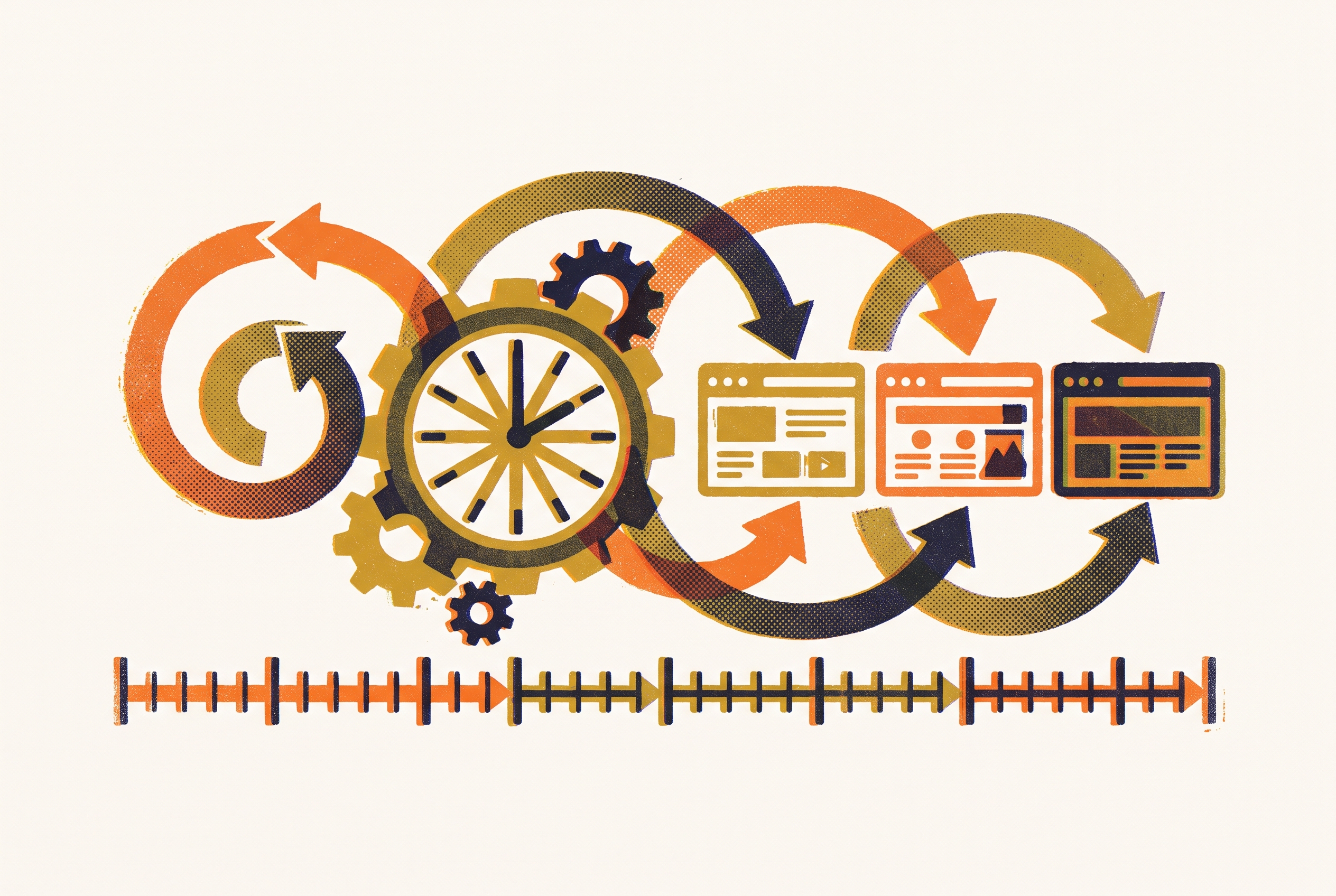
Browser automation runs and controls one real browser like someone would: it opens URLs, fills fields, then clicks buttons to take data from the site, all on its own. What separates today's automation from yesterday's scrapers is that it drives a real browser, not a request-and-parse script. Most company websites now show their material using scripting language following the first visit, so a plain HTML fetch only gets an empty frame. Because an actual real browser executes the scripting language identically to any visitor's browser, our automation sees exactly what people see.
The value is easy to see. New-business lists, competitor monitoring, recurring data tasks, industry checks: these all cycle on fixed cadences, never as jobs done one-off. A script scraping a competitor's rates one time is merely a novelty. A script that does it every morning at 6 a.m. for the next two years is an asset, and that shift, from running once to running reliably on a schedule, is where most automation projects actually fail. On a laptop the script runs well, but a retry policy, proper logging, a scheduler, and an overnight server were never built.
People always make the mistake of collapsing those reliability parts into a single piece. The browser side is handled by the automation layer, the scheduler sets when a job fires, and failure handling is what the orchestrator manages. Mix up scheduling with orchestration, and your scheduled browser task will fail without anyone noticing for days. Don't hedge on a danger like this. It's what happens by default when a job has no orchestration layer underneath.
The three automation frameworks and how their strengths shape scheduling decisions
Microsoft built Playwright to control Firefox, Chromium, plus WebKit using one API, letting a script work across each without needing rewrites. The auto-wait feature pauses execution until a target can be used, without guessing with a fixed wait, making it the dependable option, and this matters enormously in scheduled jobs specifically, since no one is looking if a site stalls around 3 a.m.; Playwright also exposes an accessibility tree, its structured view, using fewer tokens for an LLM compared with raw HTML. When you're pairing browser automation and an agent, this is what tips the choice, not a small gain. Pick Playwright as the go-to for fresh work; there's barely a reason to begin elsewhere.
Puppeteer, Google's Node tool, controls Chrome plus Firefox, with headless as the default. Per GitHub, the repo carries more than 89,000, the widest community of all, even as newer work keeps choosing Playwright. Being Chromium-only means Puppeteer earns a spot when your tooling was built around Chrome and you don't need other browsers.
Selenium holds incumbent status, covering the broadest range of browsers and languages with the biggest user base among the others. Big companies, crews built around a heavier coding language, plus older apps running in production, usually go with it. Incumbency has real weight here: many scheduled jobs now running across production were built on Selenium long back, while ripping those out carries the price teams rarely accept just to move to any newer framework.
A single scheduler handles all of them just fine. The difference lies in the number of failures a scheduler must handle before retry. Playwright's auto-wait, plus failure modes that are more predictable, keep retries from starting at all: reliability that is quieter, but real.
Python's rise fits in with this. According to Stack Overflow's 2025 Developer Survey, 57.9% of people picked this language, climbing since 2024 by 7 points thanks mostly to AI and automation. Most scheduled browser jobs you'll run into are Python scripts built on one of these, useful to know before choosing between schedulers and orchestrators, because most tooling here assumes Python as its default language.
Cron, OS schedulers, and the limits of running jobs without an orchestrator
Task Scheduler comes built into Windows, and Cron is included with Linux plus Unix machines. Cron syntax stays plain by design: a scheduling entry which fires one job at some fixed interval, like each day, once a week, or every 15 minutes. For people using Node, node-cron puts matching cron-style syntax within the app itself, useful if that browser job and the schedule sit in a single codebase, not spread across another script with system-level cron.
Cron handles the job it's built for: run a single-machine, low-frequency task that won't be damaging if missed. Scheduling is all it handles. Cron wasn't built for reliability, so using it as a layer like that is a mistake.
The bigger set of things is what it can't handle alone. It cannot retry the job after an error. Since cron's only check is whether a task exited cleanly, it can't tell anyone if a job successfully ran yet produced output that was garbage. It has no concept of dependencies between jobs, so there's no way to say "only run job B if job A actually finished." It doesn't scale across machines, and it keeps no history of past runs for anyone to check when something breaks.
The gap that bites is that final one. A browser automation job that fails at 2 a.m. on a cron schedule fails silently. No retries happen. No visible log of it gets kept. You won't know until a person reviews that output by eye, maybe days down the road, or not at all when that job spits out a blank document that seems fine at first glance. That gap is exactly what orchestration tools exist to fix, and a team still running cron once jobs pass a few is living on borrowed days. Anyone who tells you cron is "good enough" past that point hasn't been the one paged when the job silently died three weeks ago.
When to move jobs to cloud browsers and why local infrastructure hits a ceiling
Running Playwright and Puppeteer on your machine is the best first step for nearly any job. You skip setting up infrastructure, so each iteration runs quickly since results come back right away. That setup hits a limit, but it appears quickly once usage climbs. Once browser sessions climb, RAM strain and CPU contention cause flaky, inconsistent failures that are difficult to reproduce and debug.
Watch for the point where session management (holding browser state across steps, isolating account cookies) becomes essential rather than optional, this is when switching to a cloud service makes sense instead of overloading local machines. Remaining on-premises beyond that threshold indicates stagnation. Debugging gets slower, adding steps and causing mistakes groups make more than they'd like to say.
The process itself is simple. The cloud browser service spins an isolated instance somewhere else and returns an endpoint. Selenium, Puppeteer, or Playwright then attaches to this session and issues the very same commands a browser on your machine would get. Cloud browser services like Browserless operate on this model. The automation script stays as-is; the browser itself just sits somewhere else.
When a scheduler needs 50 execution slots to launch 50 concurrent jobs at the same time, this matters specifically for scheduling. One laptop by itself won't give you that, however well it's optimized. Cloud infrastructure can, since it scales browser copies to fit the load rather than getting capped by a single machine's RAM.
Using cloud browsers brings up a real concern: credential risk and session management. Every job that logs into a client site or touches private data ends up running on infrastructure beyond the organization's walls, so credential safekeeping and entry controls belong in the plan from the start, not bolted on late.
Airflow, Prefect, and Kestra as orchestration layers for recurring browser jobs
Apache Airflow dominates here more than anything else. Airflow logged about 320 million downloads during 2024, nearly 10x its closest competitor, per a 2025 State of Open Source Workflow Orchestration study. Airflow uses Python to build workflows into Directed Acyclic Graphs, called DAGs. Since DAGs are just files under version control, they're reviewed like any other commit and reproduce identically across staging and production.
Airflow 3.0 came out in April 2025, the largest overhaul yet. It brought event-driven scheduling using Airflow's Data Assets, with real versioning for each DAG, meaning the DAG's history gets tracked like its codebase's history. When April 2026 brought Airflow 3.2, it shipped per-team isolation inside one deployment by walling apart DAGs, connections, pools, and executors from one another. For an agency that runs browser jobs for multiple clients on a shared Airflow instance, this matters enormously, something to come back to below. Airflow fits data-engineering-heavy groups, big companies already on existing deployments, plus users with needs for the widest ecosystem for integrations.
Prefect goes about things with less weight. It's Python-first: often, turning an existing Python function into one orchestrated task just takes adding either @task or @flow decorator, not restructuring code for Airflow's DAG. Prefect's entire selling point is how easy it makes getting started. In 2025's final months, Prefect folded ControlFlow into version 3.0 of Marvin, trading the LLM framework beneath it from LangChain to Pydantic AI. Marvin acts as the agentic layer for Prefect's setup, usable with Prefect 3.0 like any Python dependency. For Python-native shops or ML-leaning projects seeking orchestration with no rebuilding of their setup, Prefect is a strong fit.
Kestra goes another way: an open-source setup, event-driven, declared by YAML configuration instead of Python. Its tasks run across multiple runtimes, Kubernetes and Docker among them, and it integrates with Azure, AWS, and Google Cloud. It's built to stay up and handles workflows by the millions. Kestra fits groups that prefer configuration over coding, or in polyglot shops where Python-only framework ends up a constraint, not a benefit.
All of them give you retry logic, job-to-job dependency management, a run history you can search, alerts whenever anything fails, plus a screen for seeing everything together, things cron had no way to provide. Go with the language your crew uses and the existing stack you have, not whatever gets talked about online.
People always make the mistake of collapsing those reliability parts into a single piece.
Trigger-based automation versus scheduled automation and when to use each
Nearly every browser agent stays reactive in only the narrowest way: they run by schedule, on command, but can't start after an inbound message, a filed entry, or a calendar event arrives. This scheduling limitation isn't broken, but it forces a real decision while designing your automation pipeline.
If the tools expose APIs already, and this task repeats, API-based automation is the better choice. It's also reliable, as no browser session gets simulated, carries less exposure because no login state has to be handled, and works unattended with no browser instance required. Built around that approach, Zapier's agent tooling serves as an example.
Browser automation earns its spot only if no API exists, or the job is inherently about clicking through a checkout flow with multiple steps, or navigating pages built lacking programmatic options. Going with a browser agent while an API is available happens more often than the opposite, and it means someone grabbed the comfortable choice over the proper one. Many groups keep running them together: scheduled browser jobs take care of data gathering plus monitoring; trigger-based API automation handles downstream work, checking data before firing notifications when fresh data arrives.
Airflow 3.0 added event-driven scheduling is worth flagging again here, because it starts to blur this distinction at the orchestrator level. A DAG can now fire when a data condition is met rather than strictly on a clock, so the line between "scheduled" and "triggered" isn't as clean as it used to be once the orchestrator itself supports both. Prefect's agentic layer moves this way too, so any browser job fits within a bigger pipeline which responds when events happen instead of firing on a fixed schedule no matter what.
AI-native browser agents and what their emergence changes about scheduling
Automation is strict out of necessity: the developer sets the steps, tap this selector, enter this value, so the script breaks as soon as the site's design moves underneath it. AI-native agents overturn that approach. Rather than scripting steps, you state the goal, then AI figures out the way.
OpenAI's Operator came out January 23, 2025 as the clearest example of this idea, able to complete paperwork, buy things, and handle scheduling appointments by itself. After ChatGPT agent came out, they deprecated Operator, while ChatGPT agent itself disappeared from the ChatGPT product in August 2026 with no warning. Those dates matter, since they show AI-native browser tooling moves so quickly that nothing built around it stays a fixture. If your production pipeline is built around a particular agent today, expect it to go away rather than betting it will stick around.
Across benchmarks, Operator hit 38.1% for OSWorld, one benchmark covering OS-level tasks, plus 58.1% through WebArena, another benchmark testing online actions, staying mid-range instead of matching consistency at human-level. The gap matters to every team choosing AI agents instead of scripted ones for any production job: the agent tolerates a moved selector more easily, but at the aggregate level it's harder to predict, and a job like this needs predictability above all. Handing a client-facing job to an agent that fails four times out of ten isn't a bet worth making yet, not without a scripted fallback sitting underneath it.
Here's where Playwright's accessibility tree provides a structured view that can reduce token usage for LLMs compared with raw HTML. It’s one clear factor in why Playwright now leads Puppeteer in specifically AI-agent cases of use, apart from scripted automation.
Resilience is what agents bring: when a company redesigns the checkout flow, the change that breaks the hardcoded selector won't always stop the AI-driven job. Scheduling and orchestration underneath remain just as necessary. An agent must still run on a cadence, deliver output to somewhere reviewable, plus follow a retry policy for failures, because scoring in the 50s-high on any benchmark makes errors so frequent that trusting it demands a production setup paired alongside one that accounts for those same failures.
For accounts on Plus, Pro, or Team from 2025, ChatGPT Tasks can run recurring prompts by schedule in ChatGPT itself and make connections with services like Gmail and Google Calendar using OpenAI's built-in connectors. It works well only for light, self-contained tasks. Once jobs or clients stack up, or you hit more than a few failure modes, being easy won't cover having no logic for retry and history of each run.
Building the stack for multi-client and agency use cases
An agency with browser jobs spread across multiple clients inherits all the reliability headaches above, multiplied by the number of accounts it's handling. A client's failing job at 2 a.m. must not be allowed to knock out any other client's schedule. Credentials belonging to one profile should be walled away from the others. A job's output has to go into the correct client's reporting and not anywhere else.
Launched in April 2026, Airflow 3.2 added per-team isolation built to handle this exact issue: one deployment keeps DAGs, connections, variables, pools, and executors isolated for each team. It’s the piece that lets teams keep running a single Airflow instance across several clients viable, rather than setting up another instance for each client while multiplying infrastructure spend too.
Running multiple sessions at once is what Cloud browser infrastructure solves. When many client monitoring jobs must run at once, every one of them needs an isolated browser session of its own, and no one computer handles that cleanly.
This part of the work is underrated too often. The run history of an orchestrator's jobs, its logs of what ran and what failed, noting the timing of every job and what it gave back, is what feeds client-facing reports. An orchestrator that logs everything in detail is worth more to an agency than one that just fires jobs and moves on, because that log is the evidence a client sees when asked "did this actually run this week."
Visibility monitoring fits a scheduled pipeline like this one quite well. Watching where a company appears inside ChatGPT and Perplexity, plus Overviews, using recurring runs is, functionally, what GEO plus AEO do instead of old SERP monitoring, so run it through an orchestrated, scheduled browser automation pipeline rather than doing a manual one-off review. some tools are built around multi-client monitoring: scheduling and orchestrating brand-presence reviews across AI answers, aggregating what comes back by client, then surfacing it as client-facing write-ups. That orchestration setup, with cron or another orchestrator underneath, using cloud browsers to handle volume and retry alongside alerting logic wired in, forms an infrastructure layer feeding such a service fresh data in the first place.
For account teams selling this kind of monitoring service, the implication is direct: telling a client "we check your brand every week" only holds up if there's a scheduled, orchestrated system running behind that claim. Typing a manual prompt into a chatbot every seven days doesn't carry the same weight, and clients evaluating these options are getting better at spotting that gap.
Reliability patterns that keep scheduled browser jobs running without manual intervention
Keep Retry logic at an orchestrator level rather than hidden in that automation script itself. Each scheduled job needs to state its retry count and the pause waits in between, since one transient glitch, a short timeout, a brief 500, shouldn't sink work a fresh run would have gotten right.
Idempotency matters equally, and it's overlooked too much. Any job on a schedule needs identical output if it goes off one or two times in that span, because firing a retry when things only half finished can leave you with duplicate entries or data that gets double-counted. A retry policy that helps can quietly damage your data when set up poorly.
Alerting needs to land where someone sees it. When the scheduler firing happens as planned, it does not show if that job underneath worked. Orchestrator alerts must go out through a real notification outlet, so any failure is caught fast instead of lying unseen until the dashboard finally gets opened.
Headless execution belongs as the default in production jobs, with no exceptions, while running a browser that is not rendering any visible display. When debugging, a visible browser helps you find where any job stalls, so the overhead earns its spot. It doesn't belong there, and teams keeping it running in production waste compute for nothing.
Credentials need the same care. Any scheduled job that logs into a client portal needs credentials kept safe, rotated to a real schedule, managed through a vault or the orchestrator's own management layer rather than hardcoded within the script itself, as repository users can see them.
Even outside Airflow specifically, its Airflow's approach is worth generalizing: automation scripts running in production belong under version control, reviewed like other code, not sitting on one engineer's laptop where nobody else can track modifications or timing.
With AI visibility work, this habit keeps compounding over months in a way people often underestimate. A browser job's collected data depends entirely on uptime, and when a run is missed it takes away more than one reading, opening a hole in the series that nothing can repair. Rather than silently distorting the pattern built from the data down the road, run history in Orchestrator exposes the gap and makes it traceable.
Sources
- Top 10 Browser Automation Tools to Automate Processes in 2026
Provided the Puppeteer GitHub star count cited in the Puppeteer section.
- OpenAI Operator - Wikipedia
Provided the OSWorld and WebArena benchmark scores for OpenAI Operator.
- Python Automation Guide: Libraries, Tools & Examples (2026)
Provided the Stack Overflow 2025 Developer Survey figure on Python's popularity among developers.
- https://www.nextlytics.com/blog/apache-airflow-updates-2025-a-deep-dive-into-features-added-after-3.0
Provided details on Airflow 3.0 and subsequent updates including event-driven scheduling and DAG versioning features.
- https://www.pracdata.io/p/state-of-workflow-orchestration-ecosystem-2025
Provided the 320 million download figure for Apache Airflow from the 2025 State of Open Source Workflow Orchestration study.